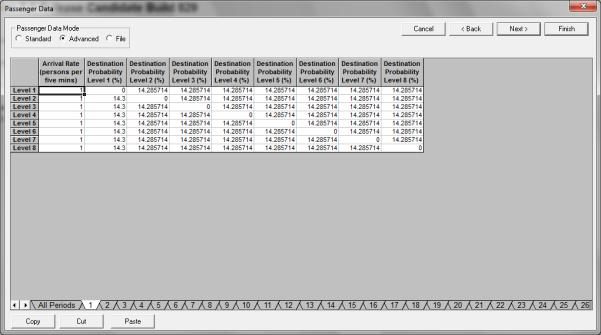
For all rows completed in All Periods, you must complete the corresponding arrival rate and destination probability table, which can be selected by clicking on the 1, 2, etc. tabs.
Arrival rates are entered in persons per five minutes.
Destination probabilities are entered as percentages. For example, if the arrival rate is x persons per five minutes and the destination probability to the nth floor is y%, then y% of the x persons per five minutes are travelling to the nth floor. Note: destination probabilities from any level to the same level must be zero as passengers do not travel from one floor to the same floor.
For double deck elevators, destination probabilities from odd to even floors (and vice versa) will normally be zero as it is assumed that the lower car serves levels 1, 3, 5, etc., and the upper car serves levels 2, 4, 6, etc.
Passengers are created for the simulation using a random number generator, applying the specified Arrival Rate and Destination Probability data.
Was this article helpful?
That’s Great!
Thank you for your feedback
Sorry! We couldn't be helpful
Thank you for your feedback
Feedback sent
We appreciate your effort and will try to fix the article