You can access Passenger Data by selecting Edit > Passenger Data, or by pressing the  button on the Toolbar.
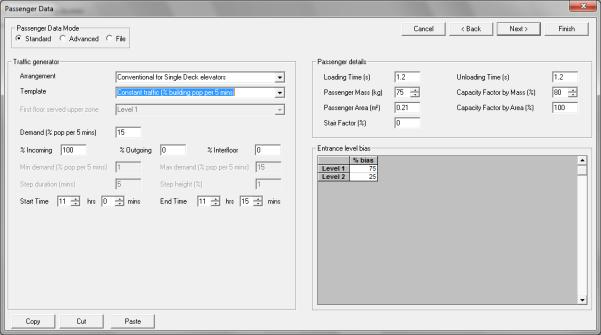
Passenger Data dialog, Standard Mode
The Passenger Data dialog contains information about the passengers using the elevators. There are three modes in which you can enter your data:
Standard
This provides a quick and easy way to enter data which is sufficiently detailed for most cases.
Advanced
Advanced Data can only be used when the Analysis type is Simulation or General analysis. Use this for detailed modelling, when you need to define passenger destinations more precisely, consider changing traffic levels, or introduce different types of loads.
File
This option is only available when the Analysis type is Simulation. It allows you to specify a list of passengers entered in a text file rather than use Elevate’s passenger generator.
You can change between the modes by clicking on the radio buttons labelled Standard, Advanced and File. Your selection of Measurement System in Analysis Data will determine whether Elevate asks for data in Metric or U.S. units. Metric units will be assumed for discussion in this chapter.
Was this article helpful?
That’s Great!
Thank you for your feedback
Sorry! We couldn't be helpful
Thank you for your feedback
Feedback sent
We appreciate your effort and will try to fix the article