You can access Elevator Data by selecting Edit, Elevator Data, or by pressing the  button on the Toolbar.
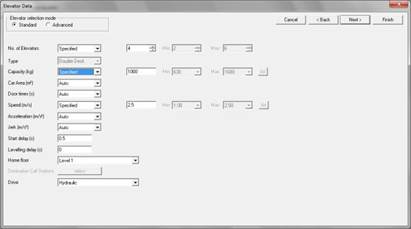
The Elevator Data dialog contains information about the elevators. There are two modes:
Standard
This provides a quick and easy way to enter data, which is sufficiently detailed for most cases. If you use any Select options, Elevate will run in sequence a separate analysis for each possible configuration. If you use only Specified options, Elevate will run a single analysis.
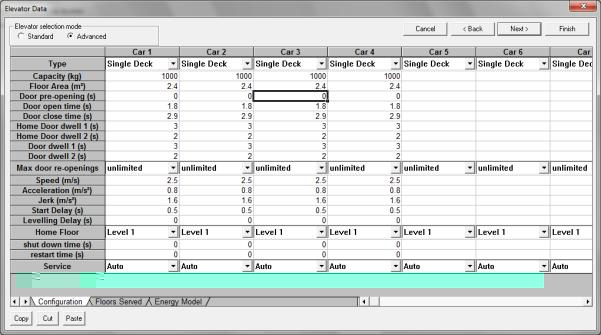
Advanced
This mode can only be used when the Analysis type is Simulation. Parameters are specified individually for each elevator, so in the same group, elevators can have different speeds, capacities, etc. Elevate runs a single simulation in Advanced mode.
You can change between the modes by clicking on the radio buttons labelled Standard and Advanced. All the variables are discussed in the following sections. Your selection of Measurement System in Analysis Data will determine whether Elevate asks for data in Metric or U.S. units. Metric units will be assumed for discussion in this chapter.
Was this article helpful?
That’s Great!
Thank you for your feedback
Sorry! We couldn't be helpful
Thank you for your feedback
Feedback sent
We appreciate your effort and will try to fix the article