The kinematics tool allows you to select any trip, and the speed, acceleration and jerk.
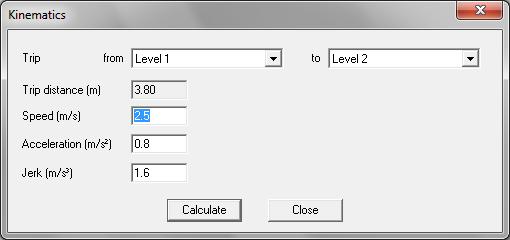
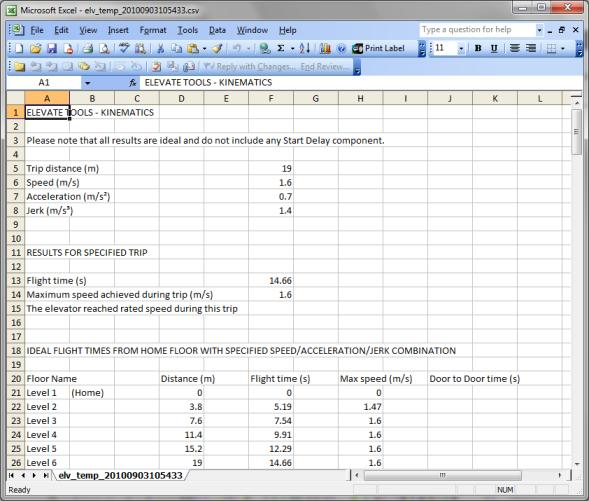
When you click on the Calculate button, an Excel spreadsheet is generated providing a detailed kinematics analysis of the trip including:
- Flight time.
- Maximum speed achieved during a trip.
- Details as to whether or not the elevator reached rated acceleration and speed during a trip.
- Flight times and door to door times from the Home floor to all other floors entered in Building Data using the specified speed/acceleration/jerk combination.
- Distance travelled to reach rated acceleration.
- Time elapsed to reach rated acceleration.
- Speed at rated acceleration.
- Distance travelled to reach rated speed.
- Time elapsed to reach rated speed.
- Numerical values allowing you to plot the distance travelled, velocity, acceleration and jerk profiles for the specified trip.
Was this article helpful?
That’s Great!
Thank you for your feedback
Sorry! We couldn't be helpful
Thank you for your feedback
Feedback sent
We appreciate your effort and will try to fix the article