Assuming you have entered traffic in Passenger Data, this will be a regional settings issue.
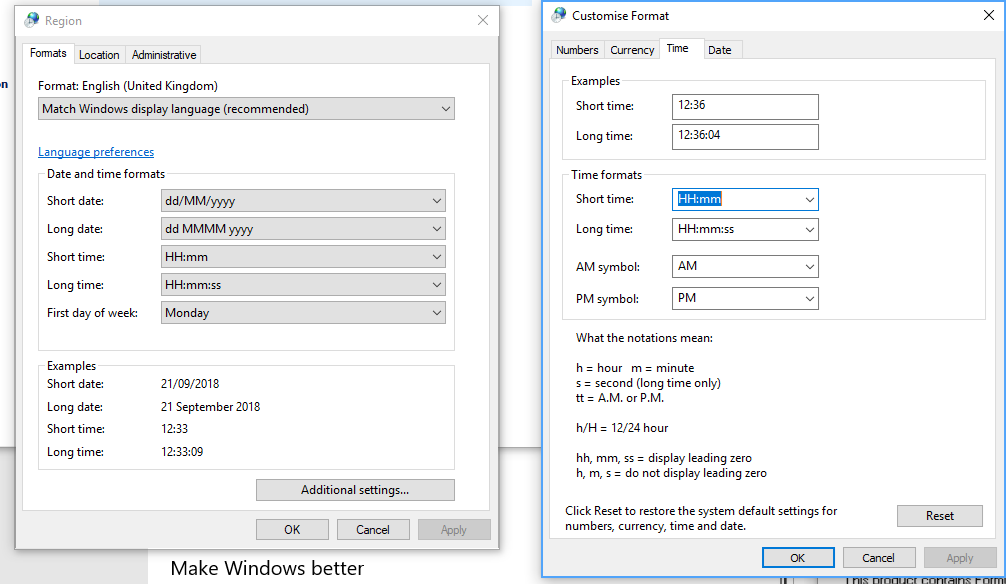
Go to your Windows regional settings and change them to the values in the screenshot below. This should fix the issue. If you would like us to allow for the regional settings you are using, please send us a screenshot of your settings.
Was this article helpful?
That’s Great!
Thank you for your feedback
Sorry! We couldn't be helpful
Thank you for your feedback
Feedback sent
We appreciate your effort and will try to fix the article