Round Trip Time (RTT) calculations are designed for analyzing peak traffic periods when elevators are consistently busy. If elevators are lightly loaded or idle for significant portions of time, RTT values may appear low or even zero. This is a limitation of RTT-based methodology. To analyze such conditions more accurately, consider changing the Analysis type to Simulation.
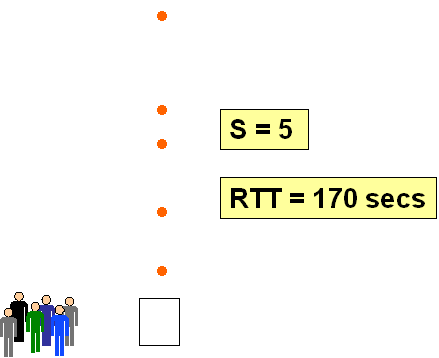
For example, in a scenario where there is a group of people and the elevator makes five stops, the round trip time might be 170 seconds:
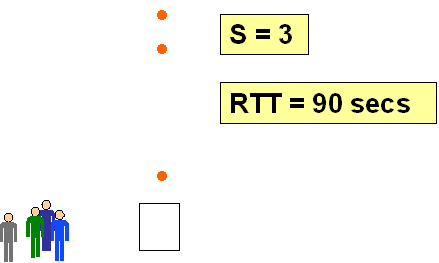
If there are fewer people, the elevator will make fewer stops:
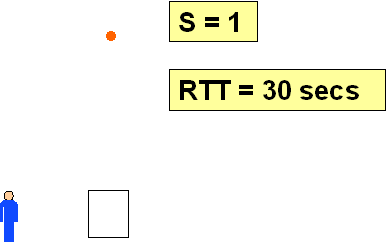
Or even fewer again:
As the number of stops decreases, the assumptions underpinning RTT calculations begin to break down:
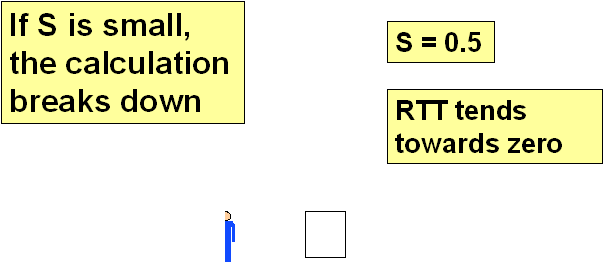
This occurs because RTT calculations assume that elevators are continuously cycling with queues of passengers waiting at the main terminal floor. When that assumption is no longer valid due to insufficient traffic, RTT is no longer appropriate. In such cases, switch to Simulation to achieve more accurate and realistic analysis.
“But I get sensible results with slower speeds or fewer cars – I haven’t changed the traffic!”
The validity of RTT calculations depends on both the amount of traffic and the elevator system specification. For example, an 8-car group requires significantly more traffic for RTT to remain meaningful than a 2-car group.
A system with 1.0 m/s lifts takes longer per trip, allowing queues to form, and validating RTT assumptions. However, increasing the speed to 1.6 m/s reduces trip time – this has the same effect as increasing the number of lifts or decreasing traffic. At this point, the RTT calculation may no longer be valid.
In a traditional up peak calculation, you might find that the 1.6 m/s system has a handling capacity of around 40%, but you're only running at 15%. This low utilization makes it unlikely that enough traffic will accumulate to match the RTT assumptions. However, operating at 40% capacity would result in intervals of 50+ seconds – which is not realistic either.
If you wish to stay with RTT instead of switching to Simulation, you can modify parameters to push the RTT calculation back into a valid range. For example, increasing the traffic marginally (e.g. to 17%) can help restore meaningful RTT output.
Was this article helpful?
That’s Great!
Thank you for your feedback
Sorry! We couldn't be helpful
Thank you for your feedback
Feedback sent
We appreciate your effort and will try to fix the article